Dockspace vs uBar.
Both apps can take the place of the macOS Dock, and both run on Apple silicon and Intel Macs. They solve different problems: uBar turns the bottom of your screen into a Windows-style taskbar for managing open windows, while Dockspace puts 174 live widgets, your AI limits and your apps in one Liquid Glass bar. We make Dockspace at getdock.space. The uBar facts come from ubarapp.com on 10 November 2026.


Side by side
| Feature | Dockspace | uBar |
|---|---|---|
| Main idea | A Liquid Glass bar of your apps, running apps, the Trash and 174 live widgets | A taskbar or dock with app names, window titles and live window previews |
| Where the bar sits | In the Dock’s place by default, beside or above it (bottom, or compact Left/Right side dock that expands on hover and alerts) | Bottom, top, left or right edge, expandable up to multiple rows |
| Replaces the macOS Dock | Yes, by default (marked beta), or coexists beside the system Dock | Yes, hides the system Dock and replaces it with the uBar taskbar or dock |
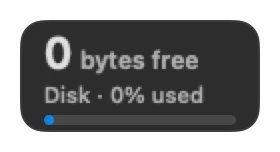
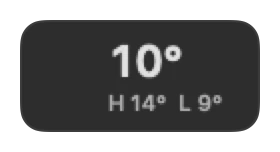
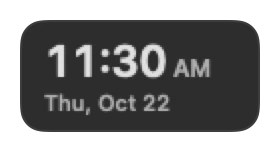
| Live desktop widgets | 174 widgets: weather, focus timer, calendar, CPU, Disk Doctor, GitHub, crypto and more | Clock, calendar, CPU and memory bars in Activity Mode |
| Claude, Codex and Antigravity limits | Session and weekly limits, 13-week activity grid and API value spending (Pro) | Not listed on ubarapp.com |
| AI coding agent sessions | Claude Code, Codex, Cursor and Antigravity sessions on one board (Pro) | Not listed on ubarapp.com (offers optional uBar Cloud command assistant) |
| Clipboard and disk cleanup | Notch clipboard shelf (⌥⌘V) and Disk Doctor cache cleaner, both free | Not listed on ubarapp.com |
| Live video wallpapers | Built-in video catalog, custom MP4/MOV files and lock screen video | Not listed on ubarapp.com |
| Free version | Free for good: Replace the Dock and 10 widgets with no time limit | 14-day free trial |
| Paid plans | $11.99/year, Lifetime $19.99 / $27.99 / $34.99 (1 / 2 / 3 Macs, 1 yr updates), or $49.99 Forever (5 Macs) | $39 personal license (up to 2 Macs), $69 commercial license; optional uBar Cloud at $2.99/mo |
Choose uBar if
- You want a Windows-style taskbar that lists individual window titles and shows window thumbnails on hover.
- You want to anchor the bar to the top edge of the screen or expand it into multiple rows of open windows.
Choose Dockspace if
- You want 174 live widgets in the Dock’s row, a compact vertical side Dock, or an iStat Menus alternative that never crowds your menu bar.
- You use Claude Code, Codex, Cursor or Antigravity, and want your usage limits, 13-week activity and live agent sessions in view.
- You want a free version with no time limit (Pro starts at $19.99 once), including Replace the Dock, the notch clipboard shelf, Disk Doctor and live video wallpapers. Also see Dockspace vs CoolDock and all 7 macOS Dock replacements.
How we checked
The uBar column comes from ubarapp.com on 10 November 2026. “Not listed” means we did not find it on their public pages, not that the app cannot do it. Check their site for the latest changes.
The Dockspace column comes from the app and from our questions. If something here needs an update, write to contact@jber.dev.
Common questions
- Should I pick Dockspace or uBar to replace the macOS Dock?
- Pick uBar if you want a Windows-style taskbar with per-window titles and window hover thumbnails. Pick Dockspace if you want a native Liquid Glass Dock with 174 live widgets, AI coding quotas, a clipboard shelf and Disk Doctor.
- Does Dockspace support left and right vertical edges like uBar?
- Yes. Dockspace pins flush to the Left or Right bezel as a 1-cell column and smoothly expands hovered tiles — or expands a tile automatically when a reminder, Focus timer or coding agent needs your attention.
- Is Dockspace free to use after 14 days?
- Yes. Unlike uBar's 14-day trial, Dockspace stays free forever with Replace the Dock and 10 widgets. Pro starts at $11.99/year or $19.99 once.
- Which Dockspace app is compared on this page?
- This page compares uBar with Dockspace by JBer at getdock.space, an independent native macOS app unrelated to getdockspace.app.
Free to start. Yours to keep.
macOS 14 Sonoma or later · Apple silicon and Intel. Download the disk image and try ten widgets free forever, or unlock all 174 with Pro.